
Problems with how the site looks on screen
Website looking different or not displaying correctly? Try a hard refresh.
If your website looked fine yesterday but isn’t displaying correctly today, your browser may be using older saved copies of parts of the website.
Your browser saves things like images and page styling on your computer to help websites load faster, especially your own site as you will be visiting it often. Sometimes, these saved files get out of step with the latest version of the site. This can cause images to disappear, layouts to look odd, or recent changes to seem missing.
A hard refresh tells your browser to download fresh copies of these files instead of relying on the saved ones. It doesn’t delete your website or change its content—it simply reloads the page.
How to do a hard refresh on a Windows computer:
Open the page that isn’t displaying correctly.
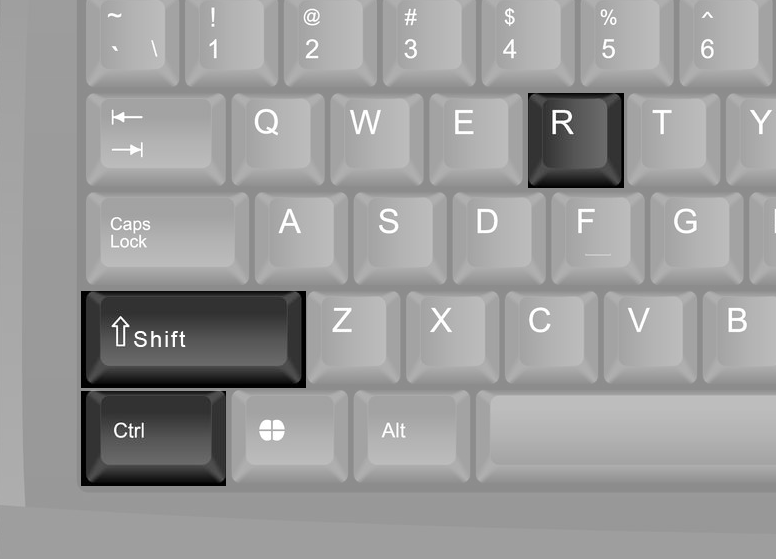
Hold down Ctrl and Shift, then press R.
Release the keys and wait for the page to finish loading.
One hard refresh is usually enough, but you can try it again if the page still looks wrong.
Still having problems?
Please email [email protected] with a screenshot showing the issue, the address of the affected page, and a short explanation of what looks wrong. This will help us investigate and get it sorted.
Back